
Next.js + Cal.com + n8n architecture: a site that books itself
Next.js + Cal.com + n8n: the stack that turns a brochure site into a booking machine. Embed, API v2, HMAC webhooks, bookingSuccessfulV2. Full architecture and 2026 pitfalls.

Updated

Next.js + Cal.com + n8n architecture: a site that books itself
A brochure site without booking is just a brochure. Three bricks turn it into a lead machine.
A prospect arrives at your site at 10 PM. On a classic site, they fill out a form, then... they wait for your email tomorrow. They've already moved to a competitor. And a Calendly page compared yours to the one that answers "Now," at midnight.
Online booking is the highest-leverage conversion tool for service businesses. But most guides — and I audited them — stop at "use a plugin" or "add a Calendly link." No one shows the complete architecture: how Next.js, Cal.com, and n8n work together, without data leaks or phantom bookings.
This article codes the Next.js + Cal.com + n8n stack piece by piece: the embed that keeps users on your site, the v2 API for custom flows, HMAC-signed webhooks, and the bookingSuccessfulV2 event that fires an action in your app the instant a booking is made. At the end, the full stack, the pitfalls table, and a 30-minute slot to apply it to your domain.
Why this stack, not a plugin
The top 10 results for "online booking" are vendors: Mobirise (AI generator), Wegic, Rendevoo, botnation. Or SaaS listicles (HubSpot, 18 tools). Only one — simplebo — talks technique seriously, but stays at the brochure level.
The Next.js + Cal.com + n8n stack wins at three levels a plugin can't cover:
- The run, not the label. You control the journey, the URL, the SEO, the tracking. You're not locked into an SaaS-generated page.
- The full booking lifecycle. Not just "create a reservation": reminders, reschedule, no-show, CRM notification. That's where n8n comes in.
- Your data stays yours. You control who gets what (email, Slack, CRM), and where (your own infra).
A WordPress plugin shows a "Book" button. This stack turns the site into a system that absorbs demand, schedules, notifies, and follows up — without a human in the loop.
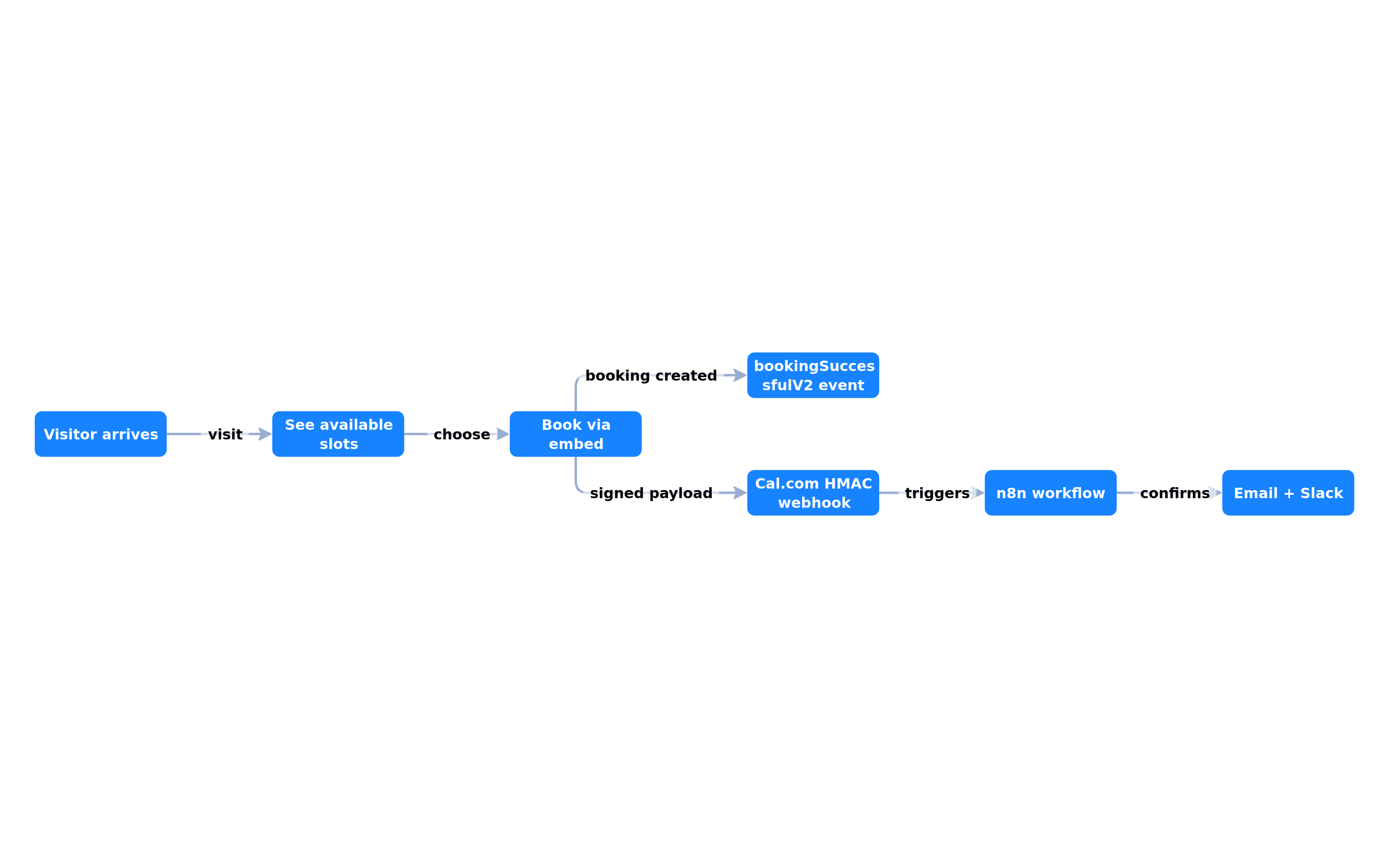 A visitor arrives, sees your slots, books inside the embed, and a webhook confirmation fires automatically.
The three bricks, and their roles
| Brick | Role | Does NOT do |
|---|---|---|
| Next.js | The site, SEO, UX, embed, API routes | Calendar, timezones, emails |
| Cal.com | The booking engine (embeddable, open source) | Post-booking business logic |
| n8n | Automation (workflows, webhooks, CRM, Slack, email) | Site display logic |
Separation of concerns is the architecture's core. Next.js stays light: it displays indexable content (SSR/SSG) and embeds the widget. Cal.com handles all calendar complexity (timezones, availability, email reminders). n8n orchestrates what happens after the booking.
Why not do everything in Next.js? Because scheduling and automation will change independently of your site. You'll redesign the homepage — not the reminder logic. Separating the three prevents rewriting booking every time you refactor.
Step 1 — Embed Cal.com in Next.js
Cal.com provides three packages: @calcom/embed-core (vanilla JS), @calcom/embed-snippet (lightweight), and @calcom/embed-react (React component + TypeScript). For a Next.js site, it's the React one.
Installation
npm install @calcom/embed-react
The component
import Cal from "@calcom/embed-react";

export default function BookingSection() {
  return (
    <Cal
      calLink="your-team/discovery-call"
      style={{ width: "100%", height: "600px" }}
      config={{
        theme: "light",
        hideEventTypeDetails: false,
        layout: "month_view",
      }}
    />
  );
}
Listening to events
import { getCalApi, type EmbedEvent } from "@calcom/embed-react";

useEffect(() => {
  (async () => {
    const cal = await getCalApi({ namespace: "inline" });
    cal("on", {
      action: "bookingSuccessfulV2",
      callback: (e: EmbedEvent<"bookingSuccessfulV2">) => {
        const data = e.detail.data;
        console.log("Booking created:", {
          title: data.title,
          startTime: data.startTime,
          endTime: data.endTime,
        });
      },
    });
    return () => cal("off", {
      action: "bookingSuccessfulV2",
      callback: myCallback,
    });
  })();
}, []);
What the embed does for you
- Keeps the user on your site — no redirect to a separate Cal.com page.
- Namespaced event communication — parent and iframe communicate via a message system. Multiple embeds coexist on a page without interfering (namespaces).
- Instruction queue — commands are queued while the iframe isn't ready, then executed. No commands lost during initialization.
- Theme and branding —
configlets you align colors and layout. For full control, wrap in an isolated iframe.
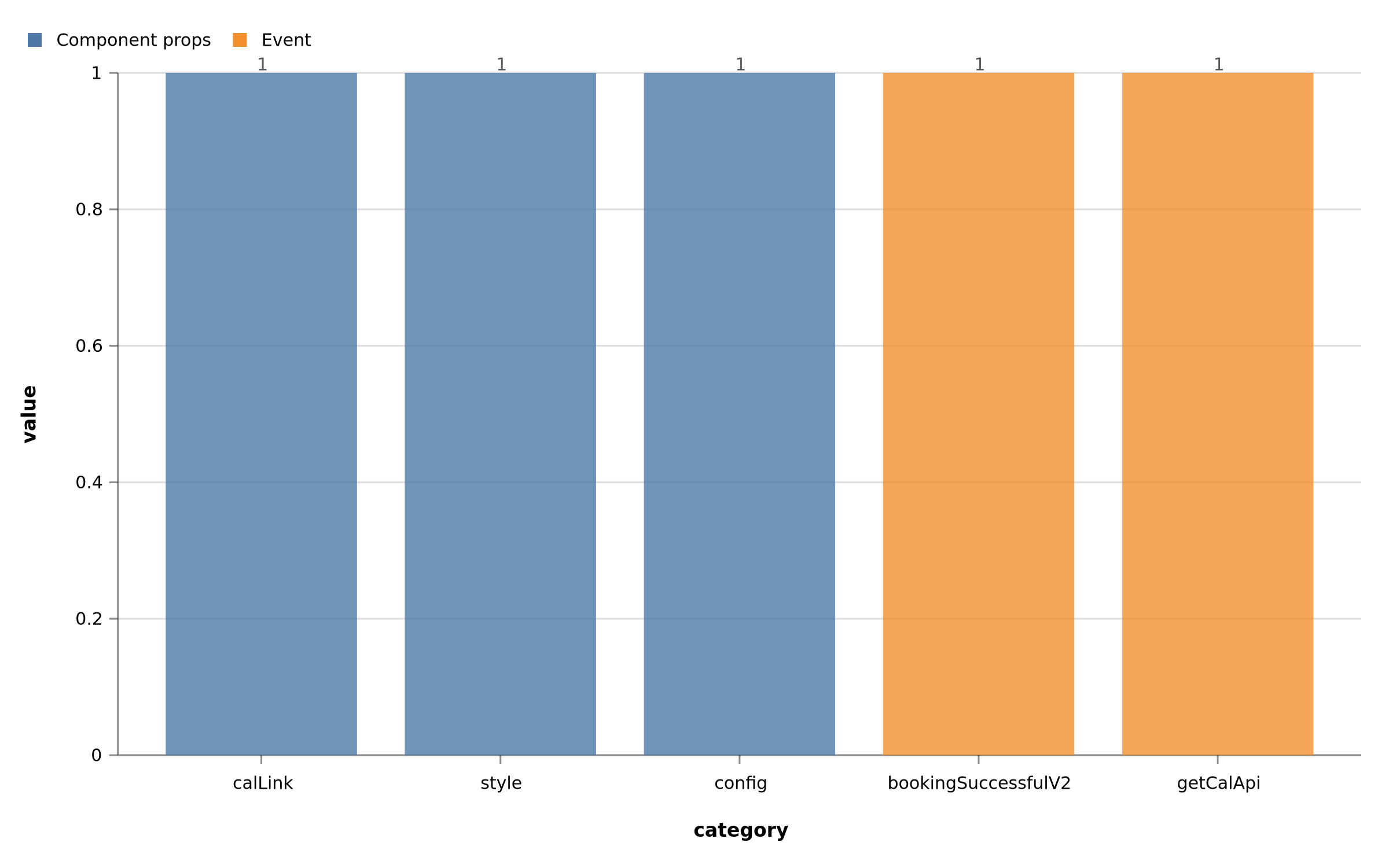 The Cal component from @calcom/embed-react: calLink, style, config. bookingSuccessfulV2 events bubble up to the parent via the namespace.
Step 2 — Post-booking: Cal.com webhooks to n8n
The embed runs client-side. For reliable server-side action (create a CRM lead, send an email, notify Slack), you need a webhook.
Pitfall #1: the n8n Cal.com Trigger and the v1 API
The n8n Cal.com Trigger node long relied on Cal.com's v1 API. This API is deprecated. Depending on your n8n version, the node may point at dead endpoints and fail silently. The v2 migration is incoming, but until then, the robust solution is:
Create a generic n8n Webhook node and register it as the callback URL in Cal.com.
Pitfall #2: HMAC signature
A webhook is a public URL. Anyone can call it. Cal.com signs each payload with an HMAC-SHA256 of your secret, sent in the X-Cal-Signature-256 header. You must verify this signature before processing the data.
Next.js webhook route example
// app/api/webhooks/cal/route.ts
import { createHmac } from "crypto";

export async function POST(request: Request) {
  const body = await request.json();
  const signature = request.headers.get("X-Cal-Signature-256");

  const expectedSig = createHmac("sha256", process.env.CAL_WEBHOOK_SECRET!)
    .update(JSON.stringify(body))
    .digest("hex");

  if (signature !== expectedSig) {
    return new Response("Unauthorized", { status: 401 });
  }

  const { triggerEvent, payload } = body;
  switch (triggerEvent) {
    case "BOOKING_CREATED":
      await handleBookingCreated(payload);
      break;
    case "BOOKING_CANCELLED":
      await handleBookingCancelled(payload);
      break;
    case "BOOKING_RESCHEDULED":
      await handleBookingRescheduled(payload);
      break;
  }
  return new Response("OK");
}
n8n webhook events
Cal.com covers the full lifecycle. Configure webhooks in /settings/developer/webhooks and pick the triggers that matter:
| Event | When it fires |
|---|---|
BOOKING_CREATED | New booking confirmed |
BOOKING_RESCHEDULED | Attendee changed the time |
BOOKING_CANCELLED | Booking cancelled |
MEETING_STARTED | Video call started |
MEETING_ENDED | Video call ended |
RECORDING_READY | Recording available |
The payload includes: attendee info, event details, and your custom metadata.
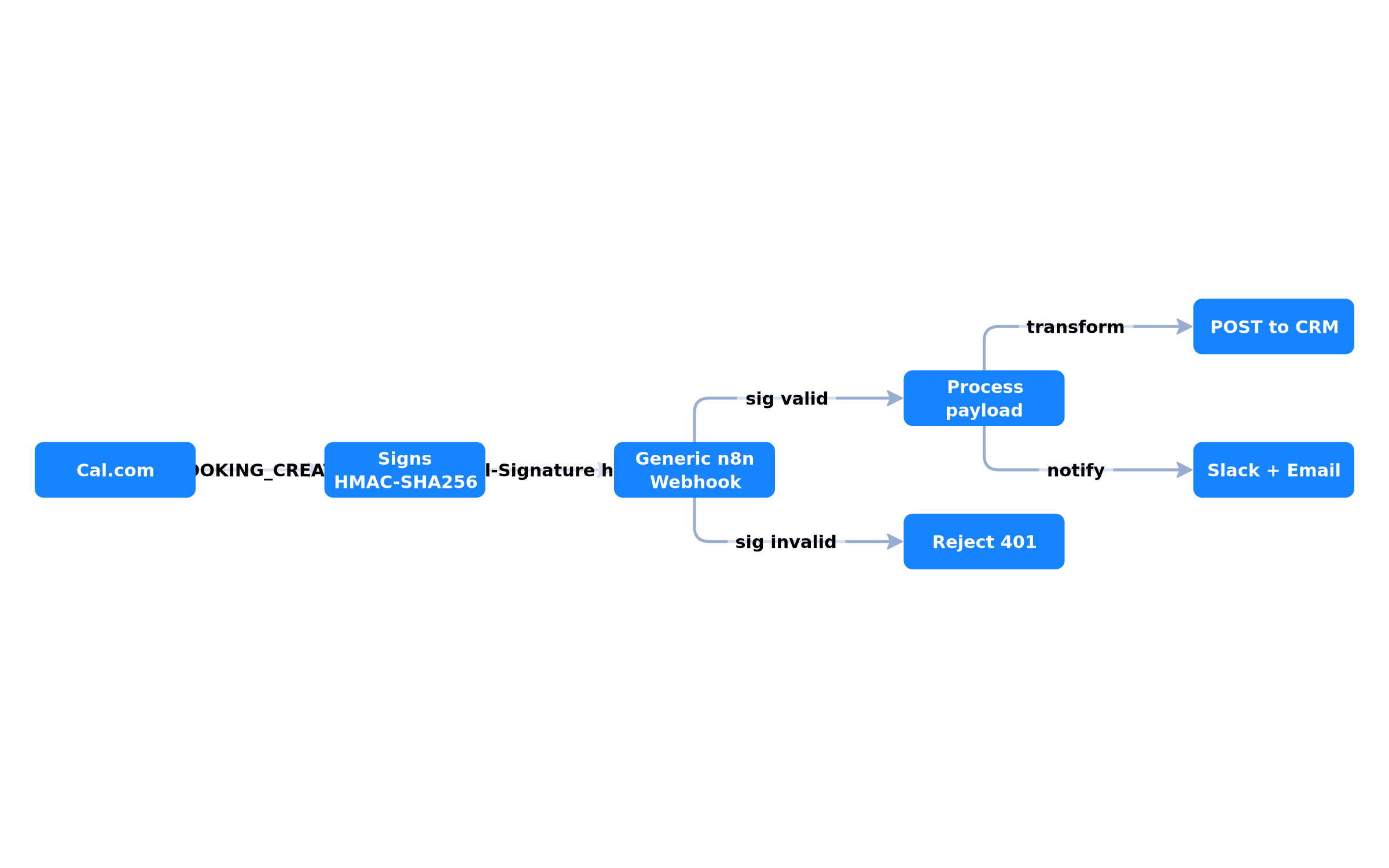 Cal.com signs the payload with X-Cal-Signature-256. The n8n webhook verifies HMAC, then the automation chain starts.
Step 3 — End-to-end n8n workflow
Once the webhook is received and verified, n8n orchestrates. A typical SME workflow:
- Webhook (receives BOOKING_CREATED, verified HMAC).
- Transform: map Cal.com fields to your CRM schema (name, email, date, message).
- HTTP Request: POST to your CRM (HubSpot, Pipedrive, or custom API).
- Slack/Email: notify the team in real-time, plus confirmation email and scheduled reminders.
This chain runs without human intervention. You capture the booking in the CRM, your team is notified instantly, and no-shows are handled by automatic reminders.
Self-hosting = full control
All bricks are open source. You can host Cal.com and n8n on your own infra. In that case, the webhook passes directly from Cal.com to n8n — the data never leaves your infrastructure. It's the most sovereign setup, with an infrastructure cost to maintain.
Embed + webhook = both gains
- Client-side (embed): immediate UX, no latency. The
bookingSuccessfulV2event shows confirmation or triggers a CTA in the page. - Server-side (webhook): reliable automation, preserved even if the tab is closed. The source of truth for CRM and notifications.
Don't use the client event for critical automation. It depends on an open browser. The webhook, fired by Cal.com server-side, always runs.
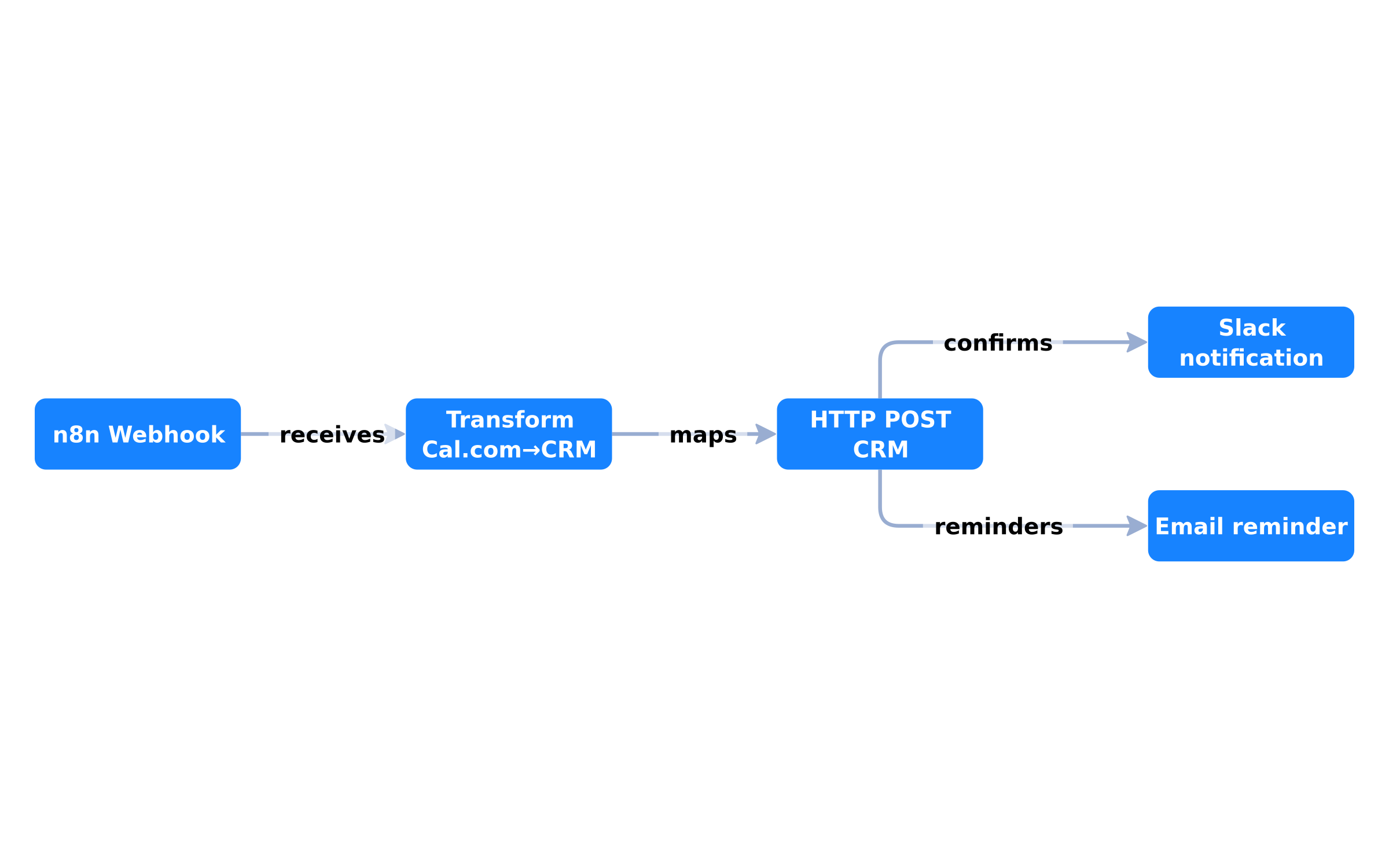 n8n Webhook receives the booking -> transforms -> POST to CRM -> notifies Slack/email. A complete chain without a human.
API v2: when the embed isn't enough
For full control, Cal.com's v2 API replaces the embed. You build your own form with your business rules, and Cal.com handles the heavy lifting.
v2 API calls
const res = await fetch("https://api.cal.com/v2/bookings", {
  method: "POST",
  headers: {
    Authorization: `Bearer ${API_KEY}`,
    "cal-api-version": "2024-08-13",
    "Content-Type": "application/json",
  },
  body: JSON.stringify({
    eventTypeId,
    start: startISO,
    attendee: { name, email, timeZone },
    metadata: {}, // your context
  }),
});
The cal-api-version header is mandatory. It stabilizes the API for versioning.
The metadata field
metadata is your ally. You attach app-specific context: user ID, order number, source, segment. This context survives the booking and appears in webhooks — you link each booking to a business situation, without parallel state.
Embed vs v2 API?
| Criteria | Embed (@calcom/embed-react) | API v2 |
|---|---|---|
| Setup time | Fast | Medium |
| Custom form / pre-data | Limited | Full |
| Keeps user on-site | Yes | Yes |
| Maintenance cost | Low | Higher |
| When to choose | SME that wants to move fast | App with specific business rules |
The 2026 pitfalls table
| Pitfall | Impact | Fix |
|---|---|---|
| n8n Cal.com Trigger = v1 API | Silent workflow failure | Generic n8n Webhook + HMAC |
| HMAC signature not verified | Anyone can post fake bookings | X-Cal-Signature-256 verified, else 401 |
Missing cal-api-version (v2 API) | Call rejected | Header cal-api-version: 2024-08-13 |
| Multiple embeds without namespace | Crossed events | Distinct namespace per instance |
| Relying on client event for CRM | Loss if tab is closed | Server webhook as source of truth |
| COEP credentialless on Next.js | Cal.com iframe blocked | Test embed in production env |
The last point matters: if you combine the Cal.com embed with strict security headers (COEP credentialless), the iframe may be blocked. Test the embed in your production environment, not just locally.
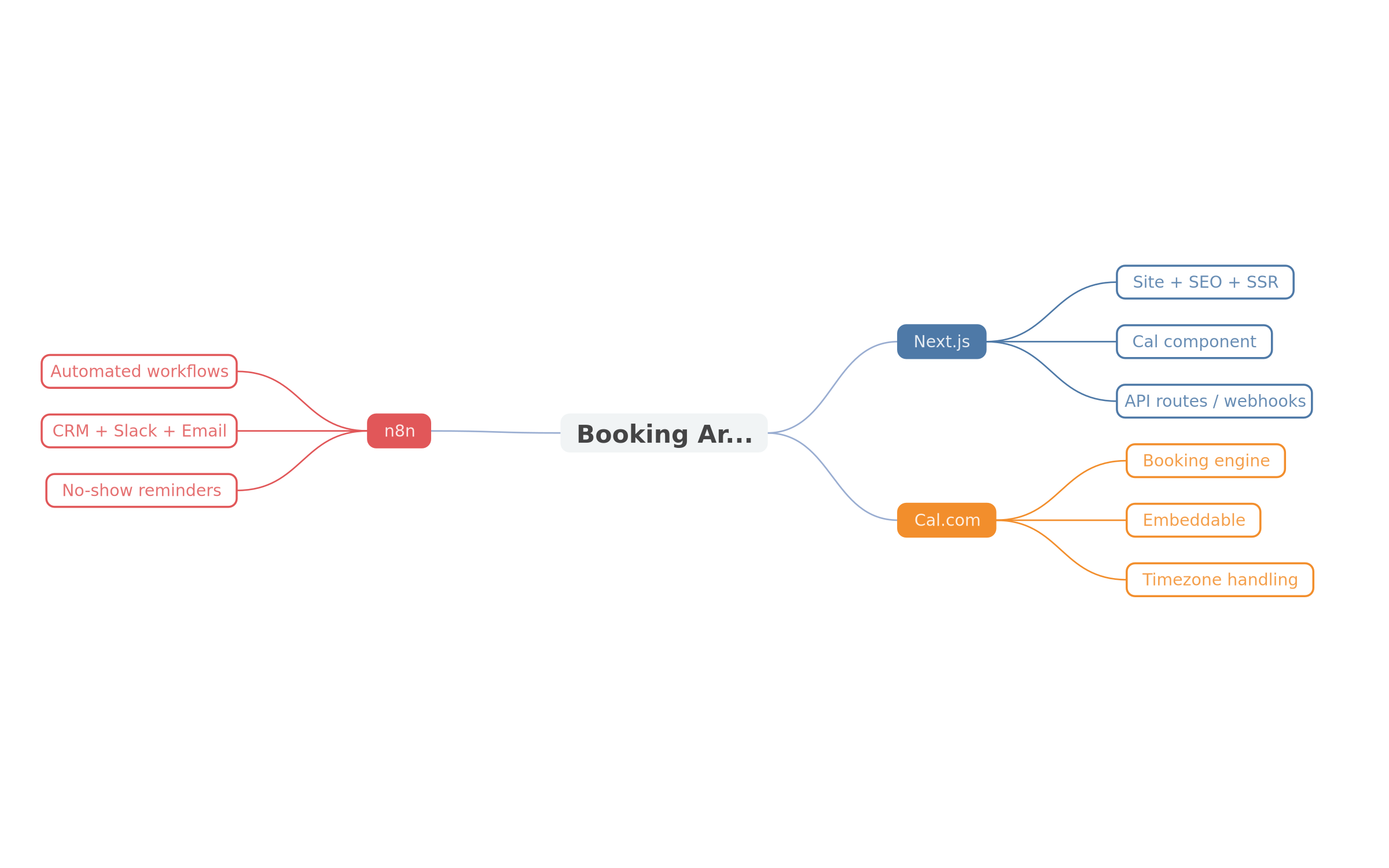 Next.js (site, embed, API routes) + Cal.com (booking engine) + n8n (post-booking automation). Separated, but connected by HMAC webhooks.
Implementation checklist
- Create Cal.com account and event type (30-min call).
npm install @calcom/embed-react.- Integrate the
Calcomponent into your booking section. - Listen to
bookingSuccessfulV2for post-booking UX. - Create an empty n8n workflow, start with a Webhook node.
- Copy the n8n production URL (or create an
app/api/webhooks/cal/route.ts). - In
/settings/developer/webhooksCal.com, register the URL and select triggers. - Enable and verify the HMAC payload signature.
- Add nodes: Transform -> HTTP Request (CRM) -> Slack/Email.
- Test in staging with a dummy booking, verify CRM + notification.
- Measure booking rate (clear CTA before the embed).
- Iterate on no-show reminders and reschedule.
What the stack does NOT do
- Replace marketing. Friction disappears, not the need for traffic.
- Answer emails. Automation handles the booking, not the relationship.
- Guarantee conversion. A vague CTA or slow page kills the booking, even with a perfect embed.
- Be a one-size-fits-all. A consulting site gains from Cal.com; a healthcare provider with medical records needs more.
Conclusion
The Next.js + Cal.com + n8n stack isn't about gadgets. It's the way to make a modern site (SEO, UX, indexing) work together with a reliable booking engine, and automation that absorbs and follows every booking.
Three levels, three deliverables:
- Embed
@calcom/embed-react— keeps visitors, shows your slots. - HMAC webhook — transmits the booking to your server, securely.
- n8n workflow — CRM, notifications, reminders, follow-up.
If you have a brochure site that "presents but doesn't book," that's exactly the gap this stack fills. The missing piece in your conversion isn't design — it's often a booking that gets made at midnight, without you.
Book a call — 30 min: we look at your site, the 3 leaks, and tell you if the embed suffices or if you need the v2 API + n8n. No commitment.
References: Cal.com Embed overview (calcom-cal-com.mintlify.app) / Cal.com embed-react (mintlify.wiki) / Cal.com API v2 bookings (nextfuture.io.vn) / Cal.com API webhooks (blog.elest.io)
Tags
FAQ
Can I embed Cal.com in a Next.js site without outsourcing?
Yes. The @calcom/embed-react package provides a React component (Cal) and a getCalApi function. The embed handles calendar sync, timezones, and notifications. Parent and iframe communicate via namespaced events, executed through an instruction queue. For full control of the booking flow, use the v2 API instead of the embed.
Are Cal.com webhooks secure with n8n?
Yes, if you verify the HMAC signature. Cal.com sends an X-Cal-Signature-256 header. Reject any request whose signature does not match the HMAC-SHA256 of your secret. Also create a generic n8n Webhook node, which is more reliable than the n8n Cal.com Trigger node that relied on the deprecated v1 API.
How do I trigger an action in my app after a booking is made?
Listen for the bookingSuccessfulV2 event from the embed (Cal("on", { action: "bookingSuccessfulV2" })). For reliable server-side automation, use the webhook. Combine both: client event for immediate UX, webhook server for CRM and notifications.
Should I use the embed or the Cal.com v2 API?
Depends. The embed is fast to set up, keeps users in your site, and handles the heavy lifting. The v2 API (/v2/bookings with cal-api-version: 2024-08-13 header and Bearer token) gives full control: custom forms, pre-data collection with metadata, embedded flow. For an SME that wants to move fast: embed. For an app with specific business rules: v2 API.
Where should I host Cal.com webhooks if I have Next.js on Vercel?
Two options. (1) Alongside the app: an app/api/webhooks/cal/route.ts in Next.js, verifying X-Cal-Signature-256 then calling n8n. (2) Directly to n8n if you expose it. The most robust: generic n8n webhook + HMAC, since the n8n Cal.com Trigger node may depend on the deprecated v1 API. Test in staging before connecting production.
Does your site book meetings — or just present you?
We open your URL together, mark the 3 leaks, and tell you whether a fix is enough or a rebuild is required.
- 30 min
- No commitment
- Action plan
William Aklamavo
Web development and automation expert, passionate about technological innovation and digital entrepreneurship.


